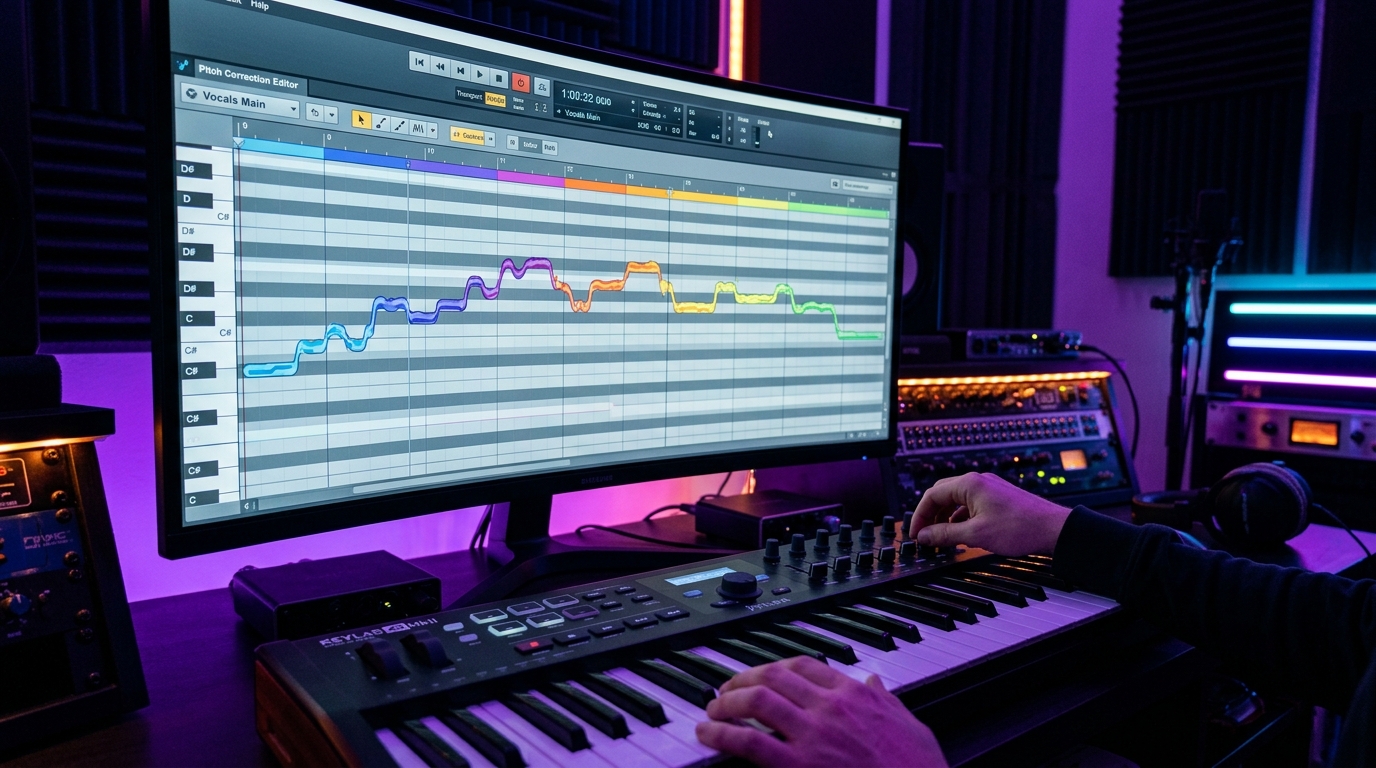
Here is a fact that might surprise casual music listeners, but is common knowledge among professional audio engineers:
Every single commercial record on the Billboard Hot 100 has vocal pitch correction on it.
From Adele and Beyoncé to Drake, Billie Eilish, and Morgan Wallen, pitch correction is used in 100% of modern releases. But there is a massive difference between an amateur vocal that sounds robotic, glitchy, and synthetic against the singer's will, and a vocal that sounds completely natural, soulful, and pitch-perfect.
Indie artists and vocalists constantly debate this on Quora and Reddit: “How do professional engineers tune vocals so transparently that listeners can't even tell Auto-Tune was used? Should I tune with Melodyne or Auto-Tune? Which one comes first in the vocal chain?”
The confusion stems from treating Melodyne (graphical manual editing) and Auto-Tune (real-time algorithmic tracking) as competitors.
They are not competitors. In professional audio production, they are two halves of the same system.
Top engineers use Celemony Melodyne first to fix fundamental pitch, note transitions, and timing imperfections note-by-note. Then, they place Antares Auto-Tune second with gentle settings to add modern glossy sheen, commercial tightness, and harmonic polish.
Here is the exact studio workflow for transparent vocal pitch editing, surgical formant calibration, and modern tuning stacking.
1. Melodyne vs. Auto-Tune: Two Completely Different Technologies
To master vocal tuning, you must understand the architectural difference between graphical note editing and real-time phase vocoding.
The Two Titans of Pitch Correction:

Celemony Melodyne (Manual Graphical Note Editor):
- Operates offline via ARA2 or real-time audio transfer.
- Separates audio into visual 'blobs' displaying pitch, vibrato, and drift.
- You manually adjust individual notes, transitions, and formants.
- Primary Strength: 100% Transparent, undetectable, surgical correction.

Antares Auto-Tune (Real-Time Algorithmic Pitch Shifter):
- Operates as a real-time insert plugin in your DAW channel strip.
- Automatically calculates input pitch and snaps audio to the nearest scale note.
- Speed is controlled by a single 'Retune Speed' knob (0ms to 400ms).
- Primary Strength: Modern pop/trap harmonic aesthetic, instant vibe.
Why Real-Time Auto-Tune Glitches on Raw Vocals:
When you insert Auto-Tune directly on a raw vocal track without prior manual editing, the plugin has to guess which note the singer was aiming for.
If the singer delivers a soulful, bluesy vocal slide, or hits an expressive vibrato modulation that dips slightly into a neighboring semitone, Auto-Tune gets confused. The algorithm rapidly jumps back and forth between two adjacent scale notes, creating the infamous "T-Pain robotic glitch."
If that robotic warble is what you want for a hyper-modern trap record, great. But if you are mixing a pop, R&B, or indie record where the vocal needs to sound natural, that glitch is disastrous.
This is why Melodyne must always come first.
2. Stage 1: Surgical Melodyne Calibration (The Human Feel Fix)
When working in Melodyne, your goal is to correct pitch errors without destroying the human imperfections that make singing emotional.
The single biggest mistake beginners make in Melodyne is selecting all audio blobs (Cmd + A) and double-clicking the center line to snap every note to 100% pitch center.
When you snap every syllable to mathematical perfection, you strip away the natural human micro-variations. The vocal immediately sounds dead, lifeless, and synthetic.
The Melodyne Anatomy of a Vocal Note:

[Note Head (Consonant)] ───► [Sustained Note Body] ───► [Note Tail (Drift)]
        │                               │                        │
  DO NOT TUNE 100%!           Tune Pitch Center         Preserve Natural
Keep natural transition       to 85% - 90% accuracy     downward pitch drop
The Professional Melodyne Protocol:
- Transfer with ARA2: Use your DAW's native ARA2 integration (supported in Logic Pro, Studio One, Pro Tools, Reaper, and Cubase) for instant sample-accurate audio transfer without printing.
- Correct Key and Scale: Always set Melodyne's internal key and scale to match your song's musical key (e.g. F# Minor).
- Use the Pitch Center Tool Conservatively: Instead of snapping notes to 100%, use the Pitch Modulation and Pitch Drift tools to gently center the core vowel, aiming for 80% to 90% pitch accuracy. Leave a subtle 10% natural variance so the vocal breathes naturally.
- Preserve the Note Transitions: Human singers naturally scoop up into notes or slide down on the tail of phrases. If you flatten these pitch transitions with the Pitch Transition Tool, the vocal will sound robotic. Leave the entry and exit transitions completely natural.
- Fix Vibrato with Modulation: If a singer's vibrato is too wide, nervous, or pitchy, use the Pitch Modulation Tool. Pull the vibrato depth down by 20% to 30% to stabilize the pitch without flattening the performance.
Engineer Tip: If a singer sounds unnatural after tuning, it is usually because of the Formants, not the pitch. Use Melodyne’s Formant Tool to nudge the vocal formant by
+0.3 to +0.8 semitonesif you want a brighter, more feminine/youthful pop tone, or-0.3 to -0.6 semitonesto add chest weight and warmth to a thin recording.
3. Stage 2: Stacking Auto-Tune for Commercial Gloss
Once the vocal has been manually tuned in Melodyne, you now have a performance with zero pitch errors, zero unnatural glitches, and zero pitch jumps.
Now comes the secret weapon used by top pop and hip-hop producers: Stacking a real-time Auto-Tune plugin immediately after Melodyne.
Because Melodyne already placed every note in its correct scale slot, Auto-Tune never has to guess or struggle to track the audio. It simply glides over the polished performance, adding a glossy, radio-ready harmonic sheen.
The Ultimate Vocal Tuning Signal Chain:
[Raw Lead Vocal]
       │
       ▼
[Stage 1: Melodyne ARA2]      ====> Surgical note-by-note manual pitch correction
       │
       ▼ (Clean, Pre-Aligned Audio)
[Stage 2: Antares Auto-Tune]   ====> Gentle real-time tracking for modern commercial gloss
       │
       ▼
[Stage 3: Subtractive EQ]      ====> Cutting 80Hz rumble and resonant room boxiness
       │
       ▼
[Stage 4: 1176 / LA-2A Comps]  ====> Serial compression on perfectly tuned dynamics
How to Set Auto-Tune When Stacking:
The settings you use depend entirely on the genre of the record:
Setting A: Natural Commercial Pop / R&B (Transparent Gloss)
- Key & Scale: Set to exact track key.
- Retune Speed: Set between 20 and 40 milliseconds. (A retune speed above 20ms allows natural human scoops to pass through untouched while gently tightening the sustained core notes).
- Flex-Tune / Humanize: Set between 20 and 35. This tells the algorithm to ignore tiny natural vocal vibrato and only correct notes when they drift significantly off-pitch.
- Result: Pristine, expensive, polished vocal that sounds like the singer just had the best vocal performance of their life.
Setting B: Modern Trap / Melodic Rap / Hyperpop (The Intentional Auto-Tune Effect)
- Key & Scale: Exact track key.
- Retune Speed: Set to 0 to 5 milliseconds (Instantaneous).
- Humanize: Set to 0.
- Result: Aggressive, snappy, robotic pitch quantizing popularized by Travis Scott, Future, and Lil Durk. Because Melodyne cleaned up the wild outliers beforehand, the robotic transitions sound silky, intentional, and harmonic rather than chaotic.
4. Tuning Background Vocals, Doubles, and Adlibs
If you only tune your lead vocal, your background vocal stacks will sound like a chaotic mess.
When stacking vocal harmonies and doubles, even a 5-cent pitch discrepancy between the left and right backing vocals will cause severe acoustic phase flanging and chorus blurring.
The Backing Vocal Tuning Protocol:
- The Lead Vocal: Tune naturally (
85% to 90%in Melodyne, conservative Auto-Tune). Keep the soul and emotion intact. - The Vocal Doubles and Harmonies: Tune them aggressively to 100% pitch center.
- When backing vocals and harmonies are tuned to absolute mathematical perfection, they lock tightly behind the lead vocal like a laser beam. They fuse into a single, cohesive, wide stereo choir without cluttering the center lead.
Frequently Asked Questions (Community Q&A)
Should you tune vocals before or after compression?
Always tune vocals BEFORE compression. Pitch correction algorithms (both Melodyne and Auto-Tune) rely on clean, uncompressed harmonic overtones to detect the fundamental pitch of the human voice. If you compress or distort the vocal first, you raise the noise floor, bring up room reflections, and squash dynamic transients, making it much harder for the pitch detection engine to track accurately.
How do engineers tune vocals without them sounding fake?
The secret to transparent vocal tuning is preserving note entry scoops and exit drifts. Amateurs snap the entire audio blob into a straight horizontal line. Real human singers always scoop up into a note and drop down slightly on the release. By only correcting the sustained middle body of the note and leaving the transitional curves natural, the tuning remains completely undetectable to the listener.
What is the best retune speed for rap vs emotional ballads?
For emotional ballads, acoustic music, and soulful R&B, keep your Retune Speed between 25ms and 50ms, with the Humanize knob set to 30. For modern rap, trap, and upbeat pop, set your Retune Speed between 0ms and 10ms to achieve snappy, rhythmic vocal quantizing.
References & Authoritative Reading
Deepen your engineering expertise on vocal editing, algorithmic pitch shifting, and formant correction with these manufacturer and technical guides:
- Celemony Melodyne Documentation: The Principles of Note-Based Audio Editing — The official guide to pitch center, modulation, drift, and ARA2 architecture.
- Antares Audio Technologies: Mastering the Auto-Tune Retune Speed and Humanize Parameters — In-depth breakdown of tracking algorithms and transition curves.
- Sound On Sound: Vocal Pitch Correction: How to Edit Vocals Naturally — Practical industry masterclass on transparent manual pitch calibration.
- iZotope Audio Learning Hub: Vocal Comping, Tuning, and Alignment Workflows — Advanced strategies for multi-track vocal stacks, formant shifting, and time alignment.
Want Your Vocals Tuned to Commercial Perfection?
If you want your vocals to sound pitch-perfect, silky smooth, and radio-ready while preserving your natural emotion and vocal soul:
👉 Listen to My Audio Samples to hear before/after vocal tuning and mixing demonstrations.
👉 Book a Professional Mixing & Mastering Session and let’s take your vocal performance to the highest commercial level.

Want This Level of Clarity on Your Next Release?
Don't let a flat mix bury your songwriting. Let's dial in the punch, vocal warmth, and radio-ready loudness your track deserves.